
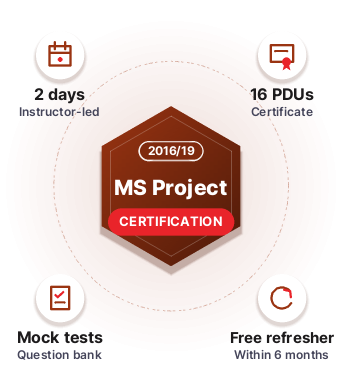
MS Project 2016/2019 Certification Training
MS Project 2016/2019 course; delivered live online, in classroom and for corporate teams.
- 2 days of live online instructor-led training (16 hours)
- Digital course materials
- 16 PDU/CPD certificate upon completion
- Free refresher classes within 6 months
- Access to session recordings
- Post session support
UPCOMING BATCHES
| Dates | Times | Duration | |
|---|---|---|---|
| 28 & 29 November 2026 | 09:30 AM - 05:30 PM (IST) | 16 Hours | |
| 30 & 31 January 2027 | 09:30 AM - 05:30 PM (IST) | 16 Hours |
Need other dates or a private batch for your team? Request a corporate batch.
OVERVIEW
Microsoft Project is the most widely used tool for project scheduling across industries. However, due to lack of proper training and knowledge about the capabilities of MS Project, only a small fraction of project managers uses MS Project to its full extent. The course is based upon the best practices of project management as suggested by the PMBOK® from PMI®.
Related guide: PMP, ISO 21500 and MS Project: A Project Manager's Certification Guide
COURSE OUTLINE
MS Project 2016/2019 - Course Objectives
- Introduction to MS Project
- Guided tour
- Starting a new plan
- Building task list
- Setting up resource
- Assigning resource
- Formatting and sharing plan
- Tracking progress
- Fine tuning task scheduling
- Fine tuning resource and assignment details
- Fine tuning the project plan
- Organizing plan details
- Tracking process
- Viewing and reporting
- Format and print views
- Format reports
- Customize project
- Share information with other programs
- Consolidate projects and resources
BENEFIT
Microsoft Project Certification can lead to better visibility, opportunities and jobs. In today's increasingly complex and highly specialized economy, credentials are everything.
- Immediately improve your earning potential
- Open the door to more opportunities for career advancement
- Increase your job mobility and choices even in the face of a tough job market
- Help you reach not only your short-term job goals, but also position yourself for success in your long-term career
- Validate your knowledge and competence for potential employers and customers
CAREER VALUE
Roles this certification prepares you for
- Project Manager
- Project Lead
- Project Coordinator
- Project Scheduler
- Project Planner
- PMO Analyst
- Project Controls Analyst
- Team Lead
Skills employers value
- Turning a task list into a working schedule with durations, dependencies and constraints
- Building resource pools, assigning people and costs, and resolving over-allocation
- Tracking actual progress against the plan and adjusting the schedule
- Producing formatted views and reports that stakeholders can read quickly
- Consolidating several projects and shared resources into one master plan
Where it takes your career
Many professionals begin as coordinators or team leads, move into scheduling and project management, and then into PMO or programme roles. Construction, engineering, IT services, manufacturing, consulting and government bodies all depend on MS Project for planning and reporting. It pairs well with PMP, because it gives you the tool skills to apply PMBOK practices and ISO 21500 concepts in a real schedule.
WHO SHOULD ATTEND
Following individual should attend training program:
- People working in PMO
- Managers who track projects
- People working as Project Manager, Project Lead, Team Lead or Project Coordinator
- PMP® certified project manager wish to enhance skill and gain PDU for re-certification
EXAM
There is no prerequisite to do this course.
MS Project 2013 certification exam is retired.
Awaiting for the latest update.
TRAINER

Alkesh Mishra
PEOPLECERT, IGC, PECB, GAQM, APMG, ISACA Accredited Trainer
Alkesh is an experienced management consultant and corporate trainer specializing in ISO standards, IT Service Management, Cybersecurity, Risk Management, Project, Program and Transition Management. He has trained thousands of professionals from leading organisations such as Microsoft, Deloitte, JPMC, EY, Barclays and L&T. Through practical, exam-focused certification training, he helps professionals achieve their career goals.
GALLERY

REVIEWS
Dr.T.V.Vidyasagar
Neuheit Pharma Technologies Pvt Ltd
Giving good learning in selected areas.
Ananda Babu Gorremuchu
IBM
Trainer is very good. In depth knowledge in project management.
Abhishek Roy Choudary
CSC
Trainer is wonderful and structured. loved the session.
Mustafa Ali
Very good program. Must have for all the project managers.
R Sunil Kumar
Covered/answered real time queries.
Deepak G Patil
It was great knowledgeable structured session.
FAQS
Fee includes
- Official exam voucher
- Official course material
- Certificate of participation
- Mock exams
Free with this course
- Free Consultation with Trainer
Pay by bank transfer, credit card, PayPal or cheque / DD